Actually switch off.
Come back without the backlog.
You're the one everyone pings — for context, for approval, for "quick question, sorry to bother you". HoldTheFort hands your live projects to the right stakeholders while you're away, and skips the week of 1:1 catch-ups when you're back.
Stop juggling every open thread while you're supposed to be off.
You know the pattern — one quick email in the morning, one "just checking Slack" at lunch, one panicked reply from the beach. HoldTheFort captures every project you're carrying in one place, so nothing lives only in your head.
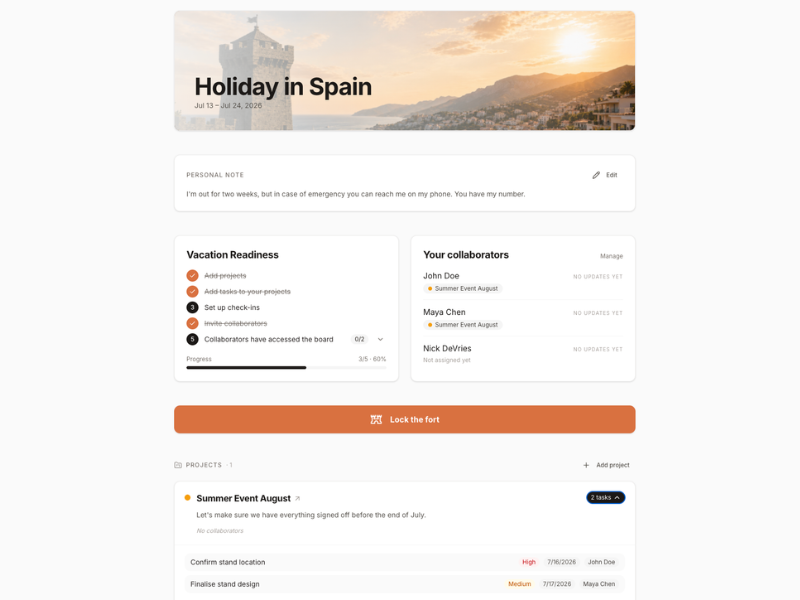
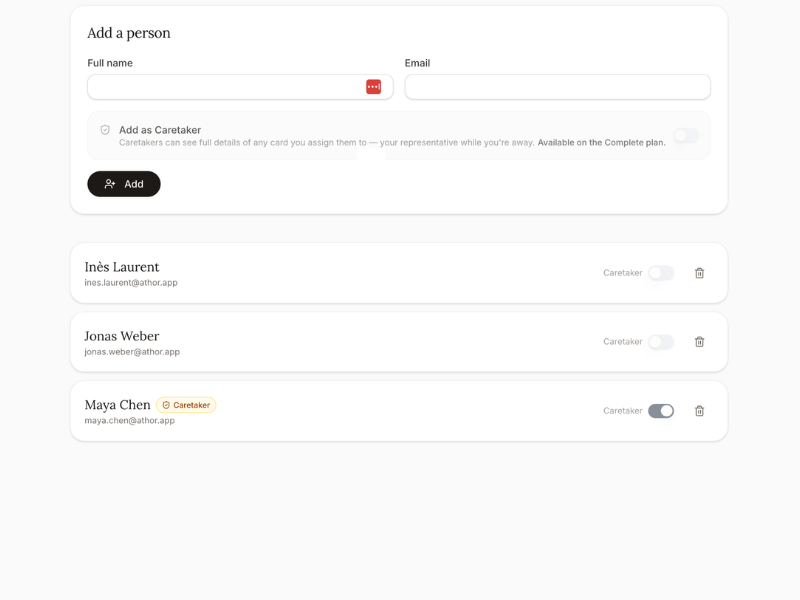
Keep the ball rolling — without keeping the ball yourself.
For each project, pick the person who should catch the ball while you're gone. A colleague, a client, a vendor. They don't need an account. HoldTheFort nudges them on your cadence and collects their updates in your name.
- One stakeholder per project — clear ownership
- One-tap updates, no login, no friction
- Every reply filed against the right project
No more five days of 1:1s just to find out what happened.
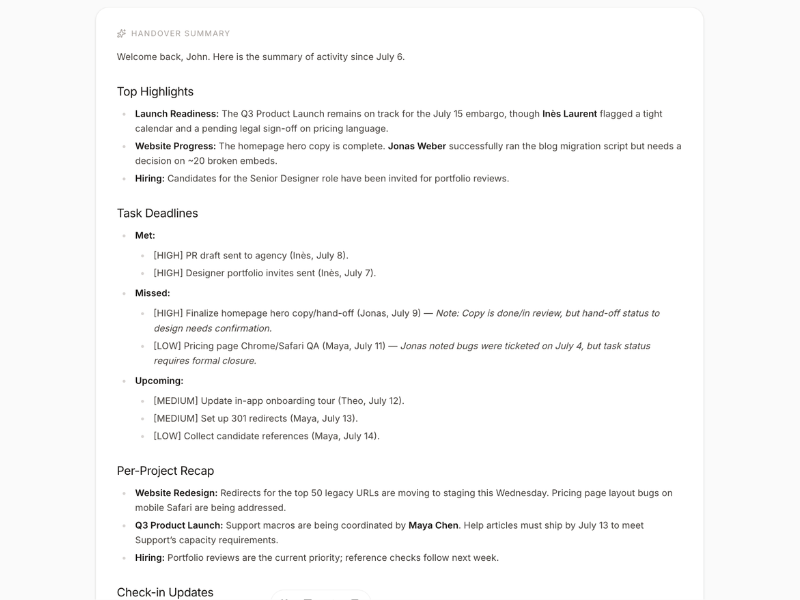
Coming back usually means a calendar packed with "quick sync, 15 min" invites and 400 unread messages. Hit "I'm back" and HoldTheFort hands you one AI briefing: what moved on every project, what stalled, and what actually needs you today.
Ten minutes of reading instead of a week of meetings.
"The holiday isn't the problem. The two weeks around it are."
What professionals get out of it
A holiday that's actually a holiday, and a return that's actually a return.
Real time off
No inbox checks 'just to be safe'. Every open thread has someone else's name on it.
Clear stakeholder per project
People know exactly who to ping — and it isn't you on a lounger.
Context stays captured
Updates land against the project, not scattered across DMs you'll never scroll back through.
No catch-up week
One briefing on day one back. No calendar full of 15-minute syncs.
You're not the bottleneck
Projects don't quietly stall waiting for you to reappear.
Reusable for next time
Save the setup. The next holiday, long weekend, or focus week takes five minutes.
How a professional sets up a fort
- 01List your live projectsOnly the ones that would stall or blow up if you disappeared for two weeks.
- 02Assign a stakeholder to eachColleague, client, vendor — whoever should catch the ball for that thread.
- 03Set the cadenceHow often should HoldTheFort nudge them? Weekly is usually plenty.
- 04Lock the fort and goOut-of-office on. Notifications off. Actually off.
- 05Come back to one briefingNo inbox archaeology, no catch-up week. Just what moved and what needs you.

Take the break. Skip the backlog.
Set up your first handover in under ten minutes. Unlimited forts, free for everyone.
Create your free account